Tuesday, June 20, 2017

Why the iPad Air show white Apple and reboots repeatedly


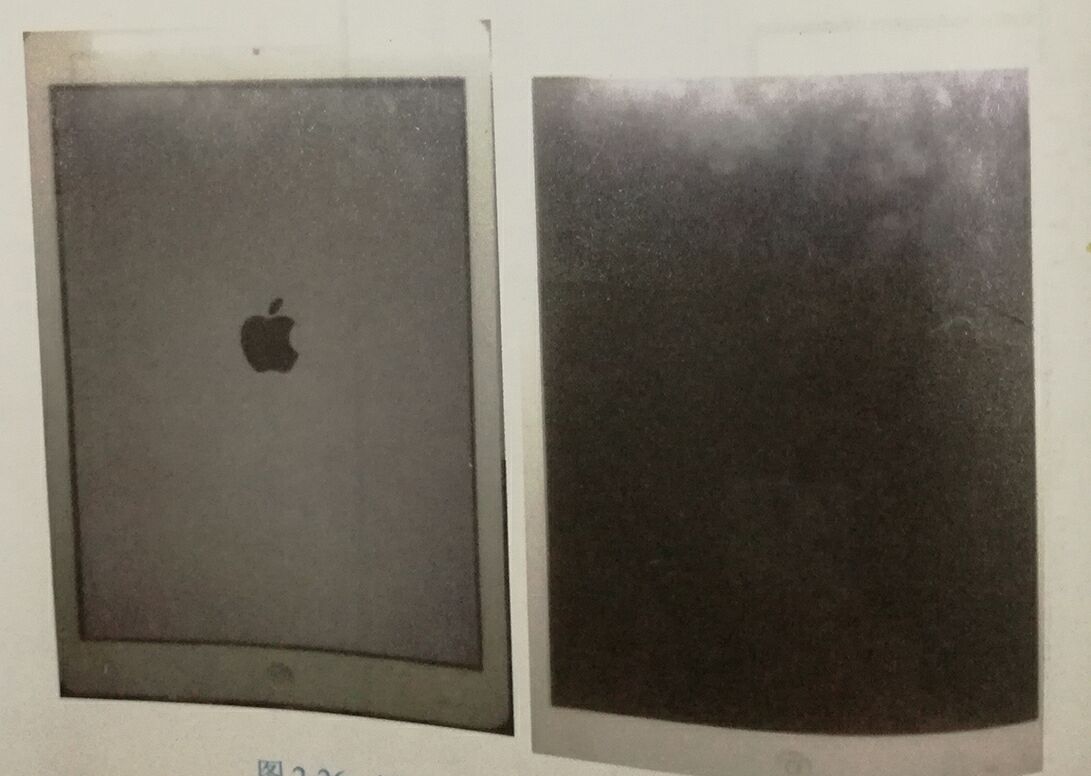
Last week, a man sent his iPad Air to me, and told his iPad Air doesn't work, because it displays white Apple logo when power on and then back to black screen. But later white Apple come back again. It always has been in this cycle, as shown in picture 1-1. This phenomenon makes him very confused. So, let's see what happen to his iPad Air.
1-1

 Above all, disassemble the iPad Air, remove shielding case and press the power button. When iPad shows white Apple logo, use hand to touch each main chip and feel power chip U8100 hot. The location of U8100 is shown in picture 1-2. Without connecting display screen, press power button. Touch U8100 and now it is not hot.
1-2
 
 Then, analyze according to display circuit working principle. Without display screen , the backlight bootstrap circuit of display screen does not work. With display screen, the circuit will work. Thus, the problem happens on the display screen backlight bootstrap circuit. Continue to analyze the backlight bootstrap circuit (picture 1-3 and 1-4). IPad Air’s backlight bootstrap circuit has two voltages, PPLED_OUT_A and PPLED_OUT_B.
1-3
1-4

Third, after measuring, the voltage drop of D8228 on motherboard is 1.9v, which is close to the state of an open circuit. While the normal voltage drop should be about 0.2v. The relevant circuit of D8228 is shown in picture 1-5. Measure the negative pole voltage of D8228 is 0.5v when getting electricity on but do not press the power button. But the normal data should be battery power supply voltage (3.7-4.2v).
1-5
 
 Fourth,Based on the data gained above, we know D8228 is damaged. The location of D8228 is shown in picture 1-6. After replacing it and measuring, the voltage of negative pole rises to 16.7v and the chip is not hot. But when enter system, iPad Air still reboots. First root it to exclude the problems from software.
1-6

 Finally, under the stare of power off, press HOME button and then insert USB cable to enter recovery mode to root, as shown in picture 1-7.
1-7
        
 After using iTunes to install the newest firmware, machine enters system normally, as shown in picture 1-8. The iPad Air is back to normal.
1-8


Thursday, June 15, 2017

how to identify the problem from the error code on iPhone 6


Recently, there are many people consult me that what happens to the iPhone 6 for an error code, it really make them headache. So Vipprog wrote a wizard about the iPhone error code

when you root your iPhone or test it by NAND test fixture or other else, it may have appear some numbers which we called it error code. Every error code have represents a different problem, let's what they are

1. ERROR 4014 : CPU-CPU RAM-BATTERY

2. ERROR 4013: RAM-CPU-NAND

3. ERROR 4005: NAND-CPU SDRAM-POWER

4. ERROR 3194: NETWORK-FIRMWARE

5. ERROR 3014: NETWORK

6. ERROR 3004: NETWORK-BATTERY

7. ERROR 40: NAND

8. ERROR 47-48: BASEBAND

9. ERROR 53: TOUCH IC

10. ERROR 56: NTC IC-BASEBAND

11. ERROR 50: BASEBAND

12. ERROR 29: BATTERY

13. ERROR 27: BASEBAND

14. ERROR 16: BASEBAND CHIP

15. ERROR 14: NAND-CPU

16. ERROR 9: NAND-CPU-NTC IC

17. ERROR 3: NFC-BASEBAND-FIRMWARE

18. ERROR 1: BASEBAND CPU - POWER BASEPAND

19. ERROR -1: BASEBAND CPU

20. ERROR 0XE8000068: USB DATA

The above kinds of error code , followed by the corresponding problem. When you meet it at the next time , you have no worry about what is that and you can fix it more easier.

Wednesday, June 14, 2017

Resolved: Frozen Touch screen of iPhone 7


Recently, I have seen several cases that their touch screen of iPhone 7 was no response/unresponsive, it is like being frozen. It makes a lot of troubles for those who have this problem. So, Vipprog wrote a wizard for this problem.

Step 1
   Uninstall some troublesome Apps. Some apps that use actions on your touch screen may slow down your screen’s working and you may receive some lags while operating your touch screen.  If this is the cause for your frozen screen, then reinstalling the app or another app replacement will probably fix all the issues with your touch screen.
Step 2
Remove the case or screen protector on your device, which might cause the screen not able to react to all of the sensitivities of the touch of a finger like it normally would.
.  Try to clean the screen with a soft, slightly damp, lint-free cloth. It is best to wipe in a circular motion.
Step 4
Restart your device, which is considered to be the best and quickest method to solve the problem. If you can't restart it, you can force restart your device by pressing and holding the home button and the reset button on the top of the phone for a full 10 seconds until the phone resets and the Apple logo appears on the phone.
Step 5
Resetting your phone to its original settings, you can easily do it by simply connecting your iPhone to your computer and doing its reset using iTunes. If the iPhone 7 touch screen is still not working, move to the next solution.
If none of these steps work, then the issue may be related to physical screen display defects, in such case, a broken screen repair or LCD repair could be a perfect solution.
Note
1. Make sure to unplug your device when performing all the operations.
2. Make sure that your hands are clean and dry before starting all the operations. Any kind of moisture can affect the way the touch screen operates. Moisture sometimes slows the response time from the screen to the operating system.

Tuesday, June 13, 2017

Fix iPhone 6 Plus WIFI can't open and the WIFI address is unknown


The present situation is iPhone 6P Wi-Fi cannot be open and the Wi-Fi address in “about iPhone” displays “unknown”. You must be confused, because there are many reasons to result this problem. Don't worry, Vipprog can find the reason for you and solve the problem.

Firstly, boot test phone and we can found that there is not any icon in “settings”, as shown in picture 1-1

1-1


Secondly, disassemble the iPhone, we found the Wi-Fi chip  has been replaced and there are enameled wires under solder pad. Therefore, the improper enameled wires and unqualified working condition may cause the trouble. Remove the Wi-Fi chip directly and measure the diode data of each pin on solder pad. Comparing with normal motherboard , the measured data is normal. After removing Wi-Fi, the measured diode data of PCIE bus is infinite. We can only measure whether the circuit is connected between PCIE bus (as shown in picture 1-2) and coupling circuit C0703, C0704, C0705, C0706, C0720, C0721 (as shown in picture 1-3).

1-2 
1-3

Thirdly, we find the circuits between solder pad and coupling circuit C0704, C0705 are open circuits through measurement. After checking the PCB circuit diagram , we find the circuits between solder pad and C0704 and C0705 will pass PP3169_RF and PP3166_RF, as shown in picture 1-4 and 1-5. Then directly connect solder pad and test point with enameled wires, then paint UV Solder Resist , as shown in picture 1-6 and 1-7. Reassemble Wi-Fi chip and test after power on. The Wi-Fi address still displays “unknown”. 
1-4

1-5

1-6

1-7


Fourth, remove Wi-Fi chip again and measure the diode data of all pins on solder pad. We find the previous repaired places still in breakage. It connects or disconnects sometimes. In PCB circuit diagram, find the resetting pull-down resistance R0719, as shown in picture 1-8. Then directly place enameled wire from resetting pull-down resistance, as shown in picture 1-9.

1-8

1-9


Finally, reassemble Wi-Fi chip and test after power on. “About iPhone” displays Wi-Fi address. The reason is found and the problem has been solved.

2021 IBOX2 PCIE NAND DFU Purple Screen Programmer For iPhone/iPad Repair

This is an article about the introduction of ibox2 programmer features, the main functions of the ibox2 programmer are PCIE Nand flash prog...